Simplify your workflow

Work Shouldn't Feel Fragmented.

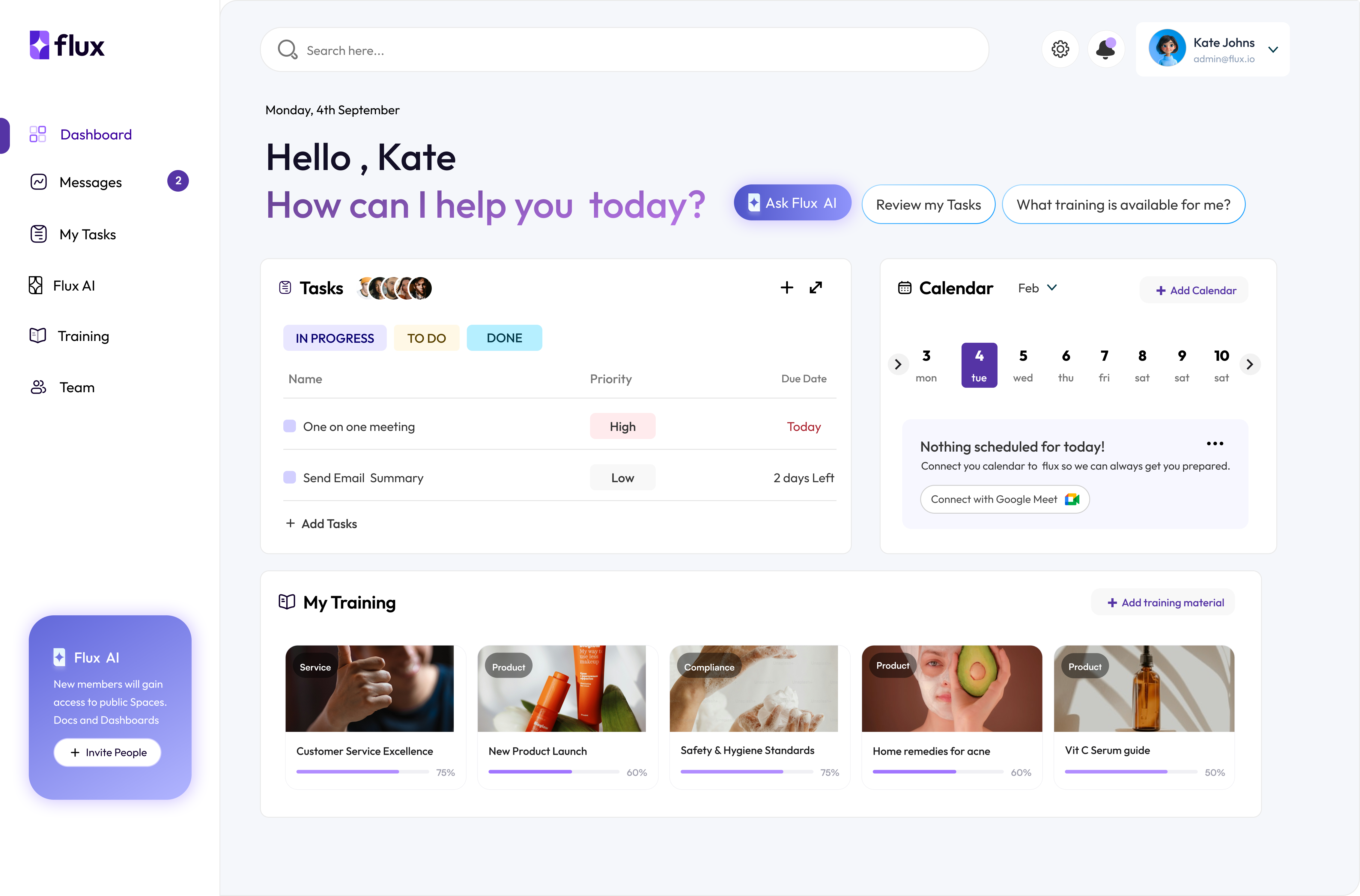
Flux brings your tools, tasks, and internal knowledge into one intelligent operational center structured around how your industry actually works.
How It Works

Your Tools Don’t Talk to Each Other the Way Your Team Does.

Set Up Your Workspace

Create your Flux workspace in minutes and configure it to match how your team operates. Invite teammates, define your workspace structure, and choose the tools and modules that support your workflow. From the start, Flux is organized around how your team actually works.

Connect Your Tools

Flux integrates with your existing tools so conversations, updates, and tasks can be understood in context. Instead of switching between systems, everything connects into one shared operational view.

Invite Your Team

Bring your team into the workspace and start collaborating immediately. Assign roles, control access, and ensure everyone has visibility into the work that matters to them.

Training in Your Workspace

Upload training materials, internal guides, and documentation so Flux understands your organization. The system learns from your resources to provide better answers, guidance, and context. Over time, your workspace becomes smarter and more helpful for the whole team.
Features

What Teams Gain With flux

Organize Your Workflow

Ready to Bring Your Workspace Into One Place?

Flux connects your tools, knowledge, and workflows into a single operational center. Start building a workspace where context is clear and work moves forward without friction.
Architecture

Built From Modules, Configured for Your Industry

Our financial management platform is transforming the way people manage their money. Here’s what some of our users have to say about their experience
Flux is not a fixed bundle of features. The system is assembled using operational modules that match the structure of your workflow.

Modular by Design
Healthcare teams, agencies, startups, and operations groups all work differently. Flux adapts to those differences by configuring modules around how work moves within each industry.
Industry-Aware Systems
Teams do not have to adopt unnecessary tools or features. Only the modules that support your workflow are enabled, keeping the system focused and easier to navigate.
Deploy Only What You Need
Even though modules vary by industry, the operational center remains consistent. Teams still start their day from one place where context, activity, and responsibilities are clearly structured.
One Stable Operational Center
Use Cases

Who It's For

Flux is built for teams that need operational clarity, not more disconnected tools. It gives every role a structured view of what is happening, what matters, and where work is moving.
Executive visibility

Founders

See the operational picture without chasing fragmented updates across teams and tools. Get a unified view of company health, active blockers, and strategic execution straight from the data layer.

Team coordination

Managers

Align execution across functions with clear priorities, faster issue escalation, and real-time visibility into team performance, delivery pace, and operational risk.

Process control

Operations teams

Standardize execution with fewer manual check-ins. Monitor workflows, remove bottlenecks, and keep every moving part synchronized through one reliable operational layer.

Daily execution

Frontline teams

Give teams the clarity to act fast. Surface next steps, simplify updates, and make daily work easier with the right information available exactly when it is needed.

Frequently Asked Questions

Get clear answers about flux, from setup and integrations to workflows, permissions, and team adoption.

flux is designed to work with the systems your team already uses for communication, documentation, and task management.
flux is not just for task tracking. It connects tasks, decisions, documents, and internal knowledge into one operational view.
Yes. flux is modular, so teams can work inside a consistent system without being forced into the same exact setup.
Most teams can start with a focused workflow, connect their core tools, and expand from there.
We use enterprise-grade role-based access controls (RBAC). Data indexed by our AI respects the underlying permissions of the source systems, ensuring users only get answers based on documents they are authorized to see.